How a private deal moves through Safqos.
Nine parts, one app. Each one exists to shorten the path from discovery to a first real conversation, without exposing anything early.
The Brief
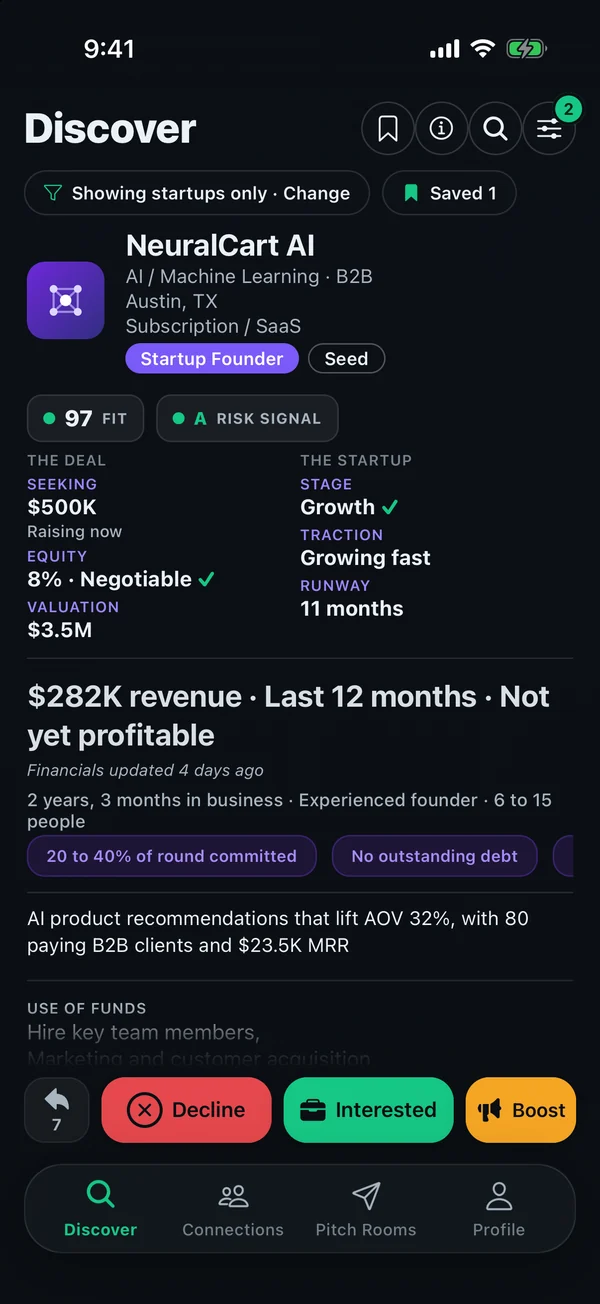
The card in Discover. One at a time, scored against what you declared, with the Fit and, for companies, the Risk signal on the card. The raise, the stage, traction, revenue and the terms, in one glance, with a green check on everything that matches what you declared.
- Reviewed deliberately: Decline or Interested. No swipe gesture.
- Deal types that don't match your declared preferences are labelled and demoted.
- Profiles under 80% complete do not appear in other members' Discover.
Real app screens. Demo accounts.
The Dossier
The detailed page behind a Brief. Every declared answer, grouped and ranked: the raise, the terms, the business, the team, traction, and what sits behind the NDA.
- Profile completeness, with what's missing, shown in place.
- Investors can hide their name and photo until they connect. Their criteria are always shown.
The Fit score
A weighted comparison of two sets of declared criteria: sector and model, stage and traction, check size, structure, geography. The number is the overlap. A deal can share your sector and still score low because the check size or structure is wrong.
- Explained in the app, dimension by dimension.
- Informational only. Not a recommendation, a rating of quality, or a prediction. Safqos does not verify declared figures.
The Risk signal
A letter grade on a founder's or owner's Brief, A+ to F, computed only from what they submitted. It answers how much uncertainty sits in the profile, the way a business credit grade reads dependability. It is not a verdict on the deal.
- Seven categories: financials, operations, documentation, team, valuation, consistency between the numbers, and profile completeness.
- A, B, C and D carry a + or − to show where in the grade a profile sits. F is the floor with no notch. Too little data reads "Not Yet Rated".
- Tap for the breakdown. Every factor that moved the grade is listed with its reason, and the person being graded sees the same list and what would improve it.
- Informs, never gates. No Brief is hidden or blocked because of its grade.
- Not investment advice. Based on submitted information that may be incomplete, outdated or unverified. Startup and operating-business grades are not comparable with each other.
The shared NDA
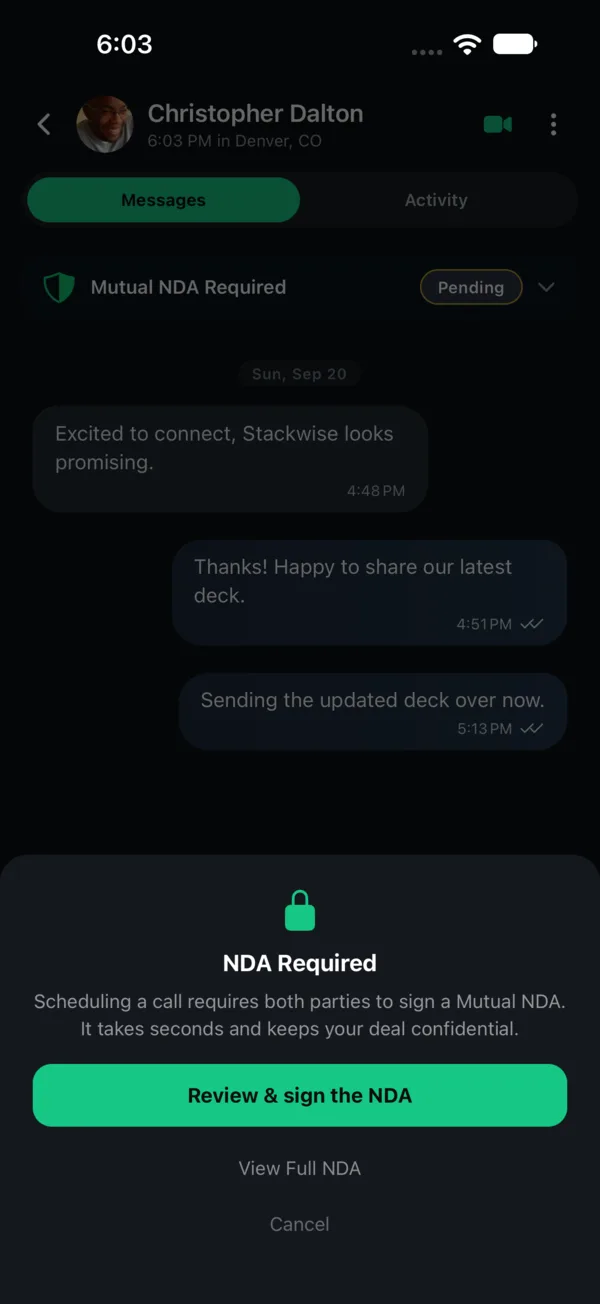
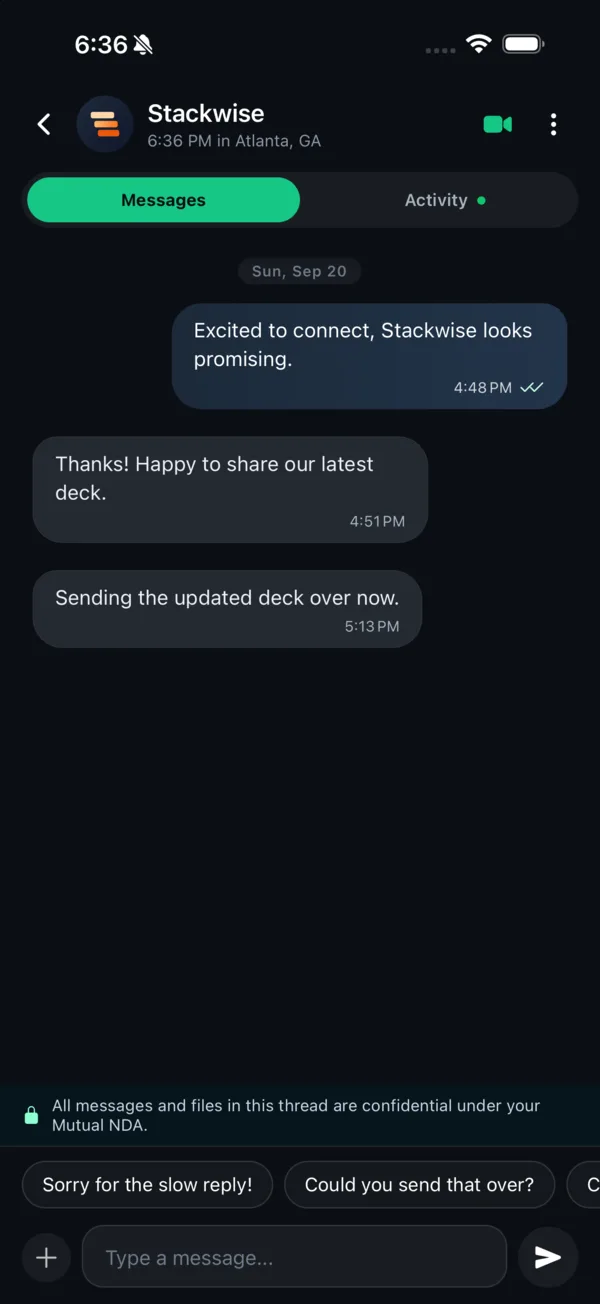
Mutual interest forms a connection and opens a thread capped at three messages each. Then one NDA per connection, the same document for both sides, accepted by both. The thread opens, the Vault unlocks, and Pitch Rooms become available.
- One NDA covers the whole connection: messages, documents and calls.
- Governing law is set per NDA by a simple rule, with an override.
- The NDA is between the two members. Safqos is not a party to it.
The Vault
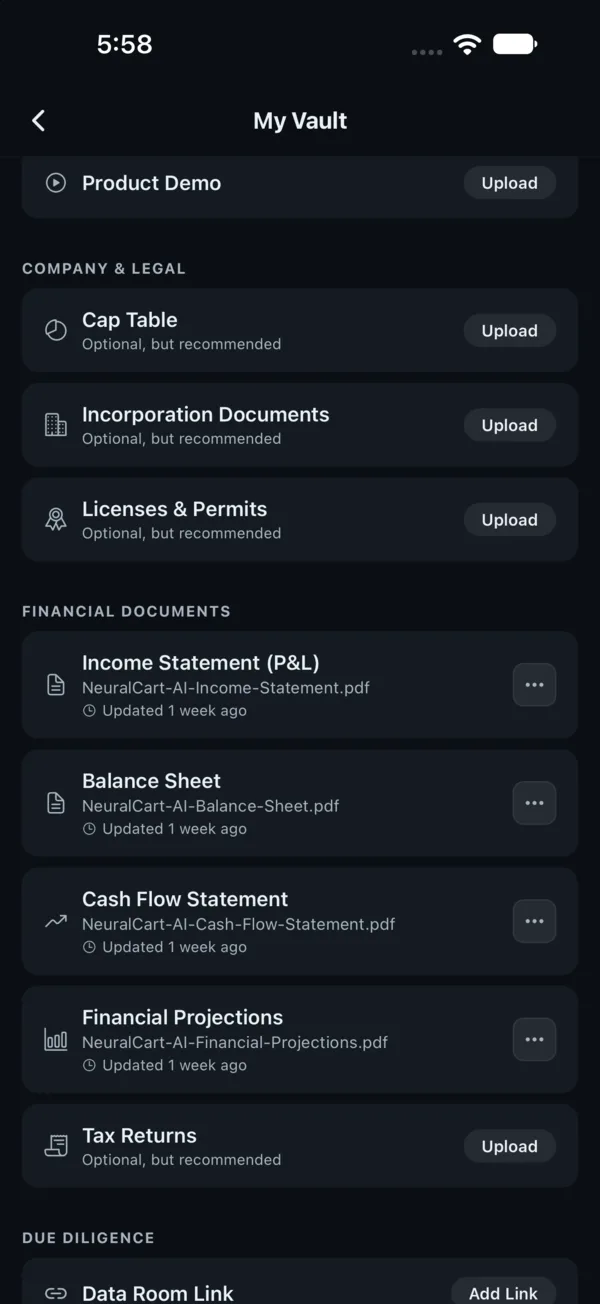
Pitch deck, financial statements, data room. Every document starts NDA-gated. The owner can set any one to open or private, tick what auto-sends on connection, and release the data room per counterparty.
- Opened documents are watermarked to the viewer while that setting is on.
- Watermarking discourages onward sharing rather than preventing it.
Pitch Rooms
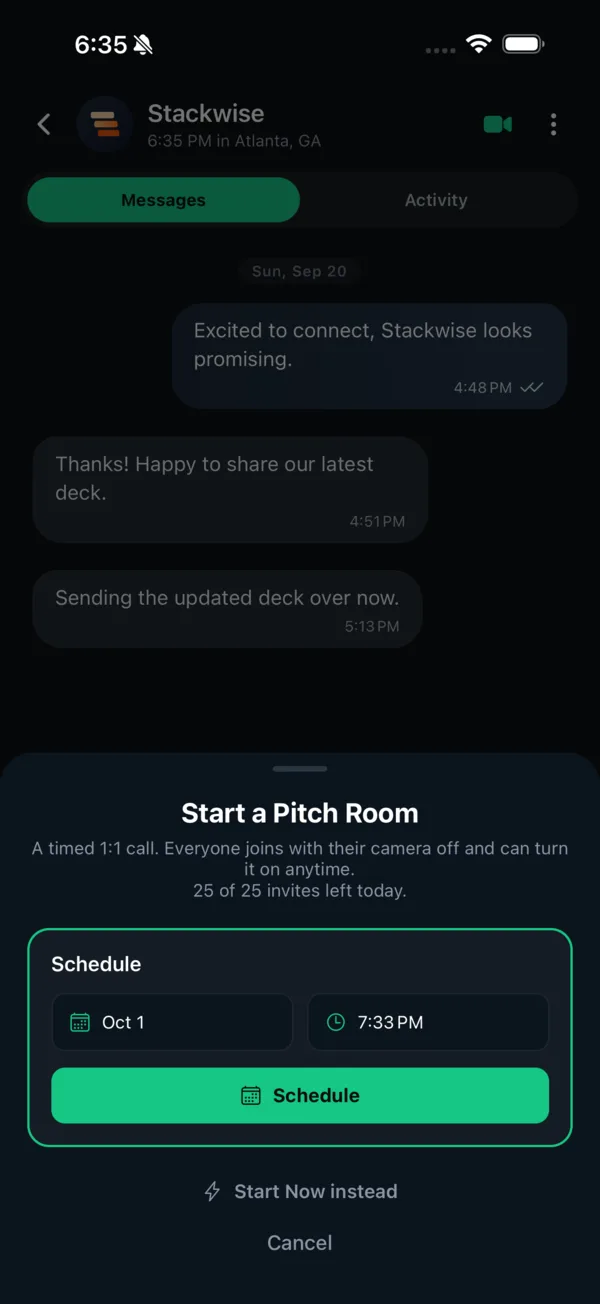
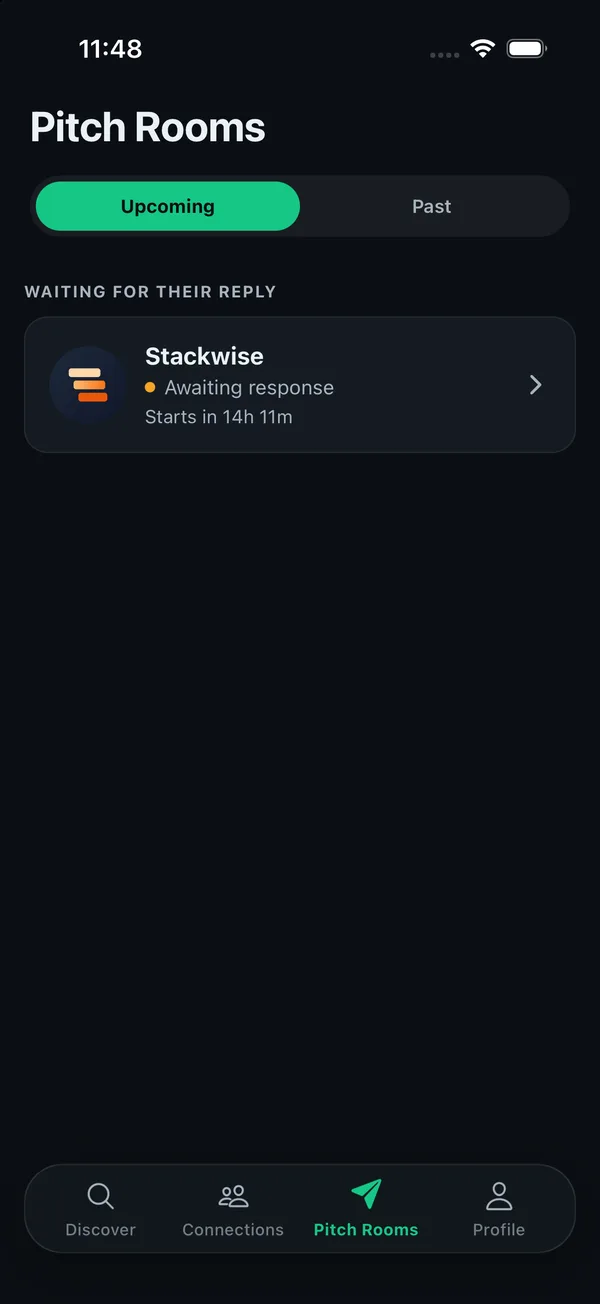
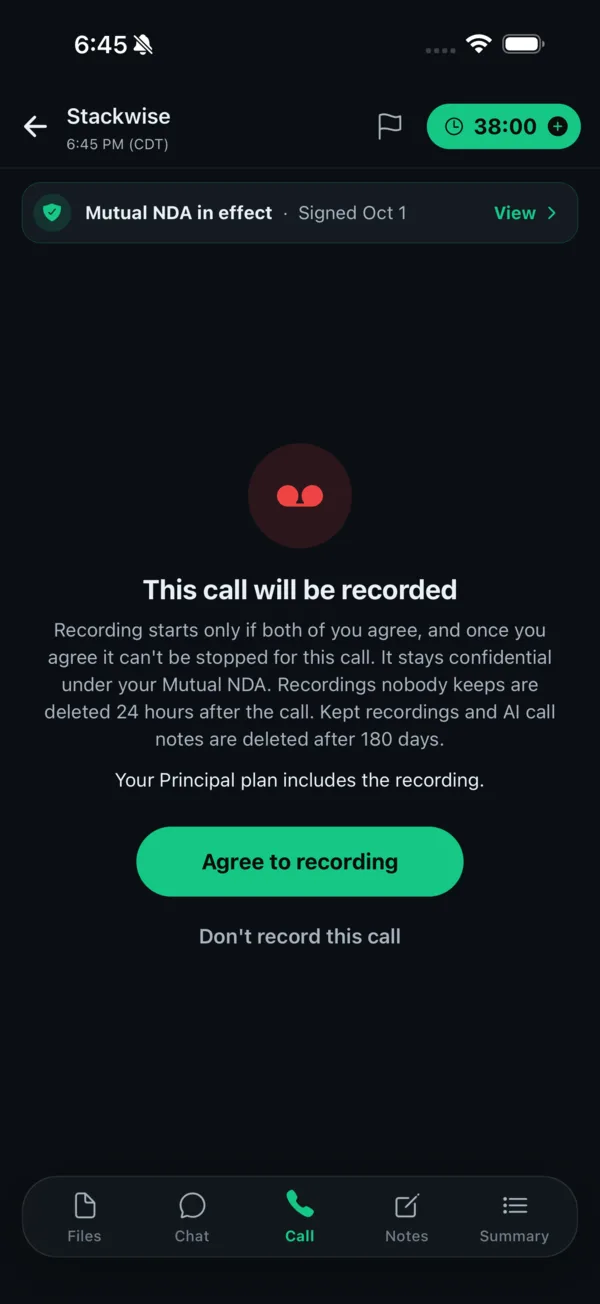
Voice and video calls scheduled and held inside the app, after the NDA. Try to schedule one before it and the app stops you. Suggest a time, confirm it, join from the thread. A confirmed time only moves if both sides agree to a new one.
- Recording only if both sides consent, asked on every call.
- Call length follows the longer of the two members' plans.
- Negotiation, legal work and money movement happen between you, outside Safqos.
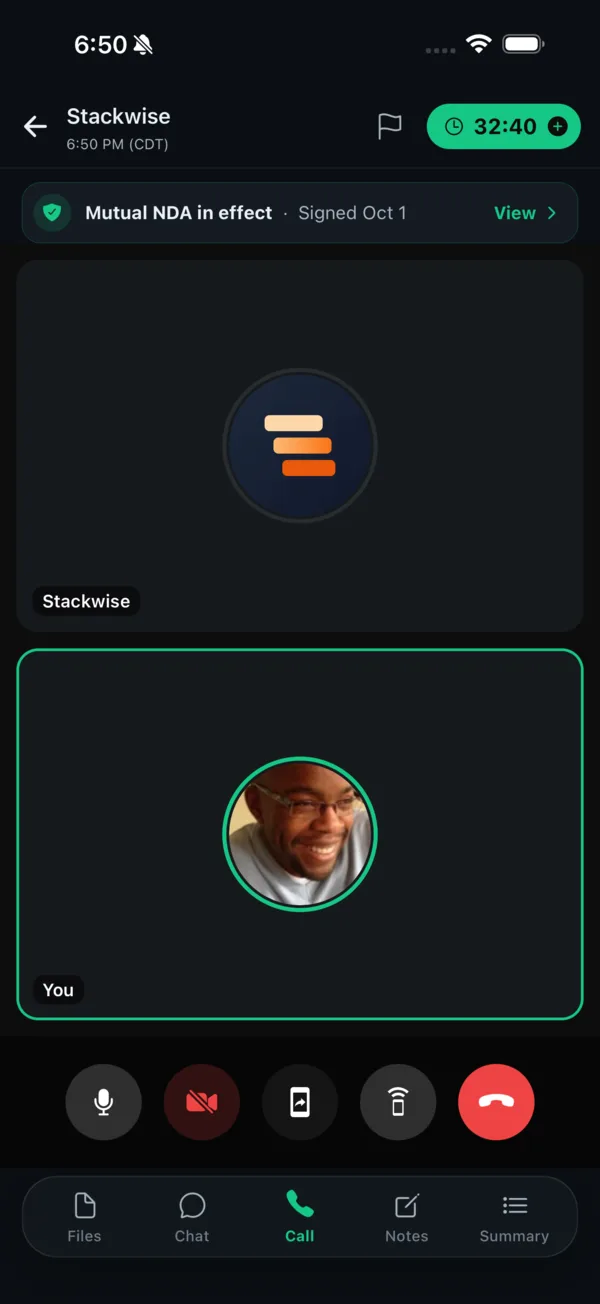
From a time to a call.
Schedule or start now, the other member answers the invite, and consent is asked before anything is recorded. Then the call runs inside the thread.
Direct Pitch
For founders and owners who don't want to wait for mutual interest. A short note and chosen Vault documents, sent straight to one investor's inbox. It stays there for seven days.
- Uses credits. Free during the beta, and never refunded once sent.
- Attachments arrive with the pitch, so the investor can review them right away. Attach only what you are comfortable sharing before an NDA.
- The sender's real name and photo are shown to the recipient.
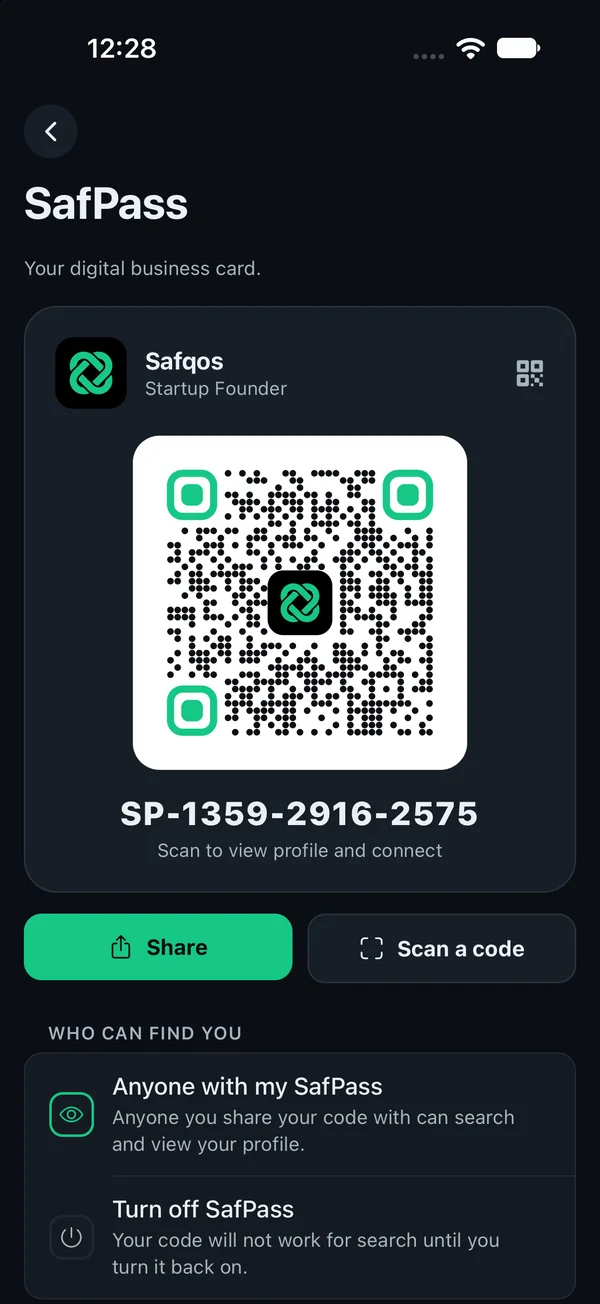
SafPass
Your digital business card. Hand it over at a dinner or a conference, and the other person scans it to pull up your full profile and connect on the spot. Every account gets a permanent, server-issued code, SP-XXXX-XXXX-XXXX, plus a QR. It never changes and cannot be edited.
- Share it as text or show the QR. They land on your profile with the same actions as Discover: show interest, or send a Direct Pitch.
- A SafPass shows only what Discover would. Anonymous investors stay anonymous, and the Vault stays locked until a shared NDA is accepted.
- Turn SafPass off in settings and the code stops working for search until you turn it back on.