
Trust and Safety.
These are private deals. The NDA, the Vault and the consent rules are built into the platform rather than bolted on. This page says what they do, what they don't, and what Safqos is not.
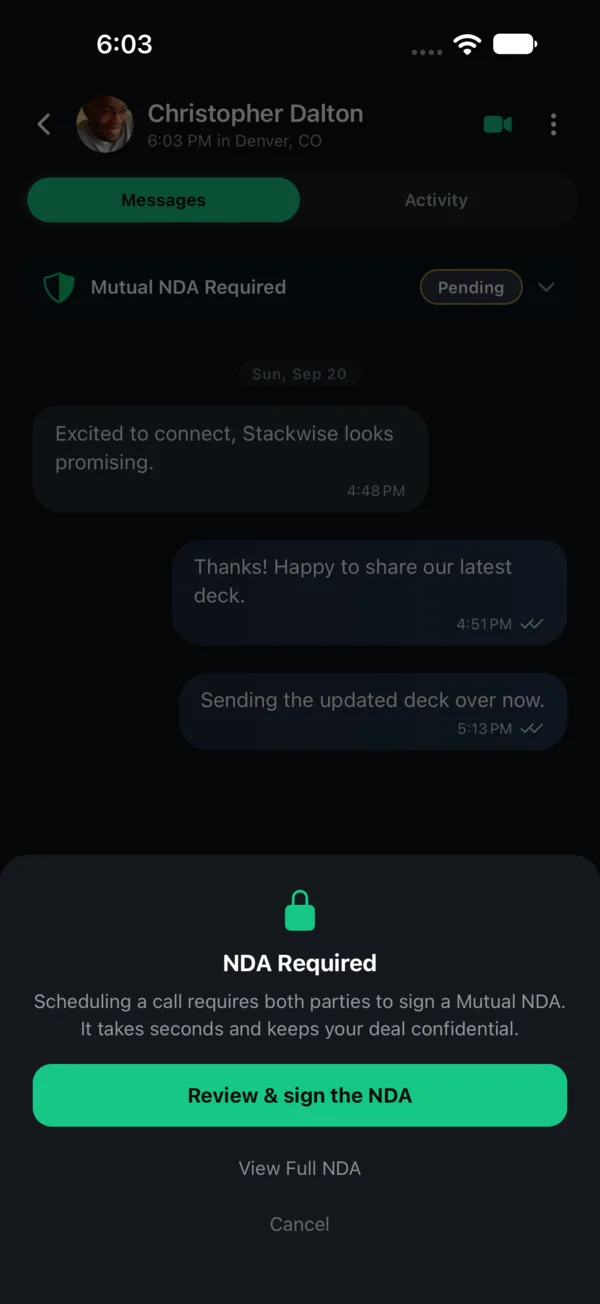
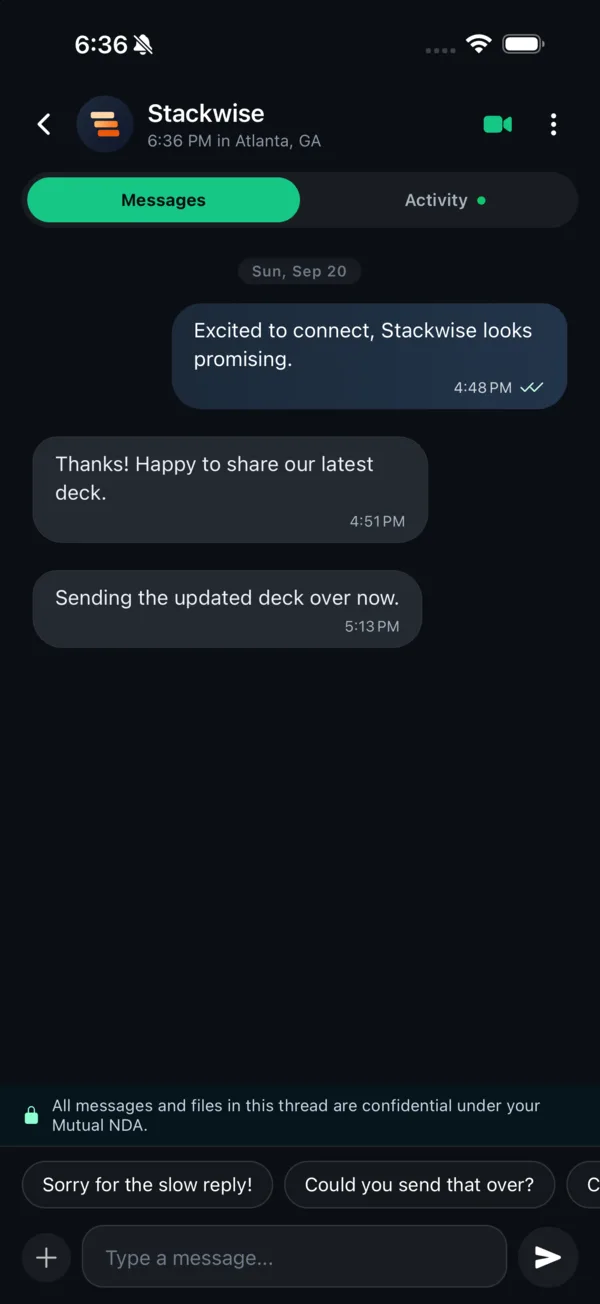
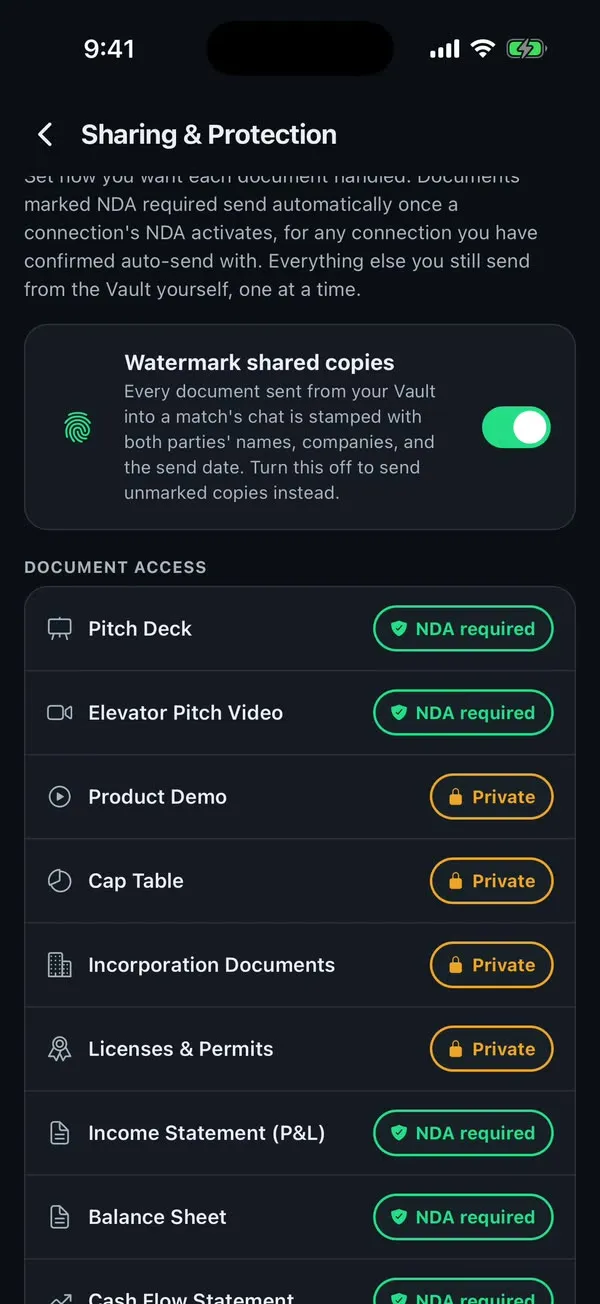
Real app screens. Demo accounts.
The shared NDA.
Before the NDA
- The Brief and declared figures
- Up to three messages each
- Gated Vault documents
- Pitch Rooms
After the NDA
- Messages, with no cap
- Vault documents, per the owner's settings
- Pitch Rooms can be scheduled
- The thread is marked confidential under your NDA
Screenshots and screen recording are blocked by default inside a chat thread, on either side, until you choose to allow them for that conversation. That protection covers the thread itself, not documents you open from a message.
- Who signs
- Both members of the connection. The NDA is between them; Safqos keeps the record and is not a party.
- Governing law
- Set per NDA by a simple rule based on where the parties are, with an override.
- What it doesn't do
- Make Safqos responsible for either side's conduct, or replace the diligence you'd do in any private deal.
The Vault.
Financial statements, pitch decks and data room links. Each one private until the owner shares it, and only after a shared NDA.
| Item | Before the NDA | After a shared NDA |
|---|---|---|
| Financial statementsEach one private until the owner shares it | Locked | Shared by the owner |
| Pitch deckPrivate until the owner shares it | Locked | Shared by the owner |
| Data room linkShared one connection at a time | Locked | Shared by the owner |
Watermarking
On paid plans, every PDF you share is stamped with both parties' names and companies and the date. It discourages onward sharing rather than preventing it.
Auto-send after the NDA
Mark documents NDA required and tick auto-send. Once a connection's NDA is accepted and you've confirmed that connection, they go out on their own.
Direct Pitch attachments
Attachments go with the pitch and open right away, before any NDA. You choose what to attach; everything else stays behind the NDA.
Self-check before anyone opens it
A founder or owner can run their own financials through an AI check, cross-referenced against what they declared elsewhere, before anyone else sees the Vault.
Privacy and visibility.
01
The public internet
Search engines and anyone without an account
- Profiles and Briefs
- Names, photos and figures
- Documents
02
Members, in Discover
Admitted members browsing Briefs
- Briefs, declared criteria and Fit
- An anonymous investor's name, photo, LinkedIn and video
- Profiles under 80% complete
03
Your connections
Once you connect (or a Direct Pitch is sent)
- Real names and photos
- Messages, documents and calls
- All of it inside Safqos, no email chains
Enforced by the server, not by the app's display settings. Members under 80% complete can still use everything else; they just don't appear in Discover.
Pitch Rooms and recording.
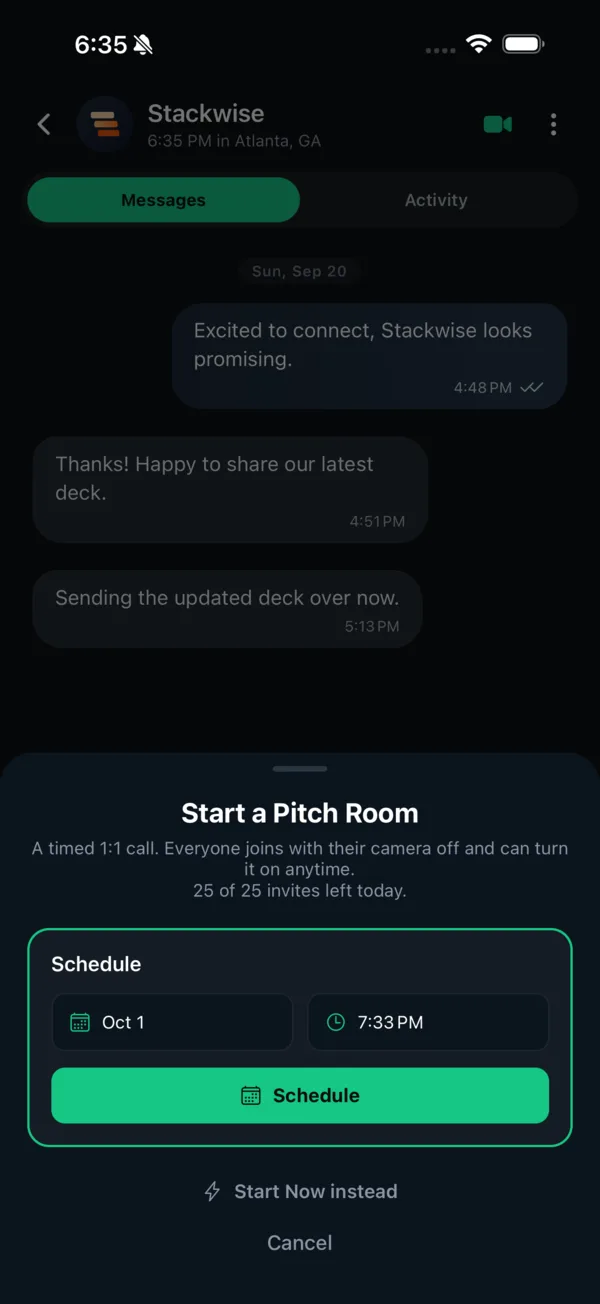
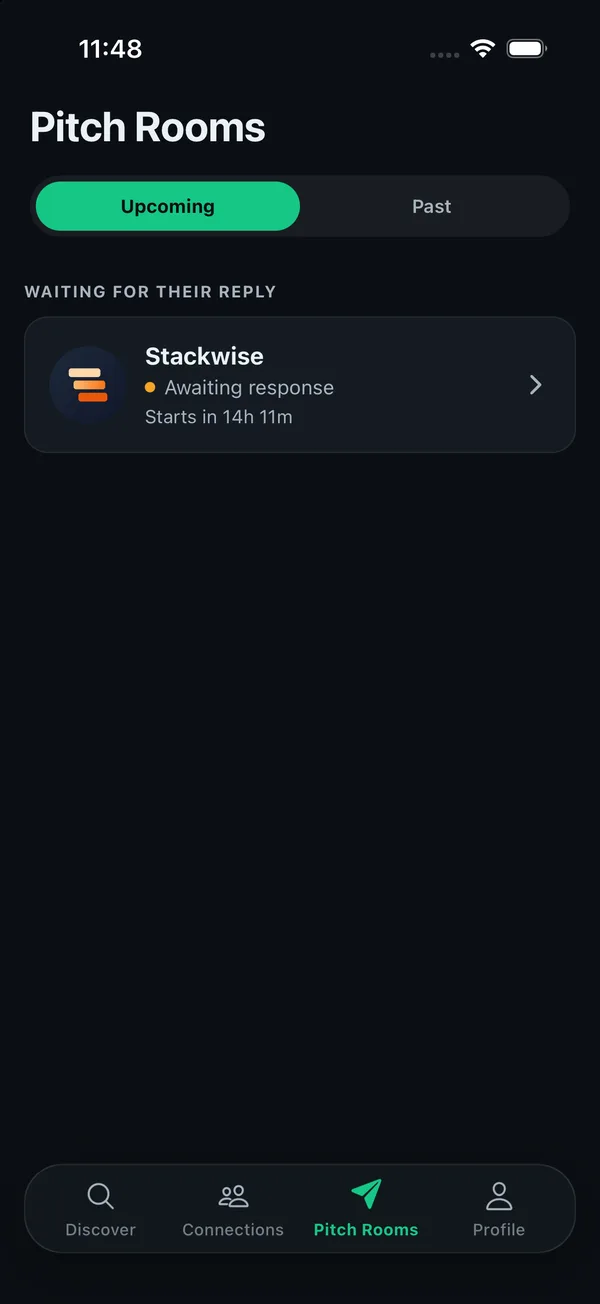
Pitch Rooms can be scheduled once both sides have accepted the shared NDA.
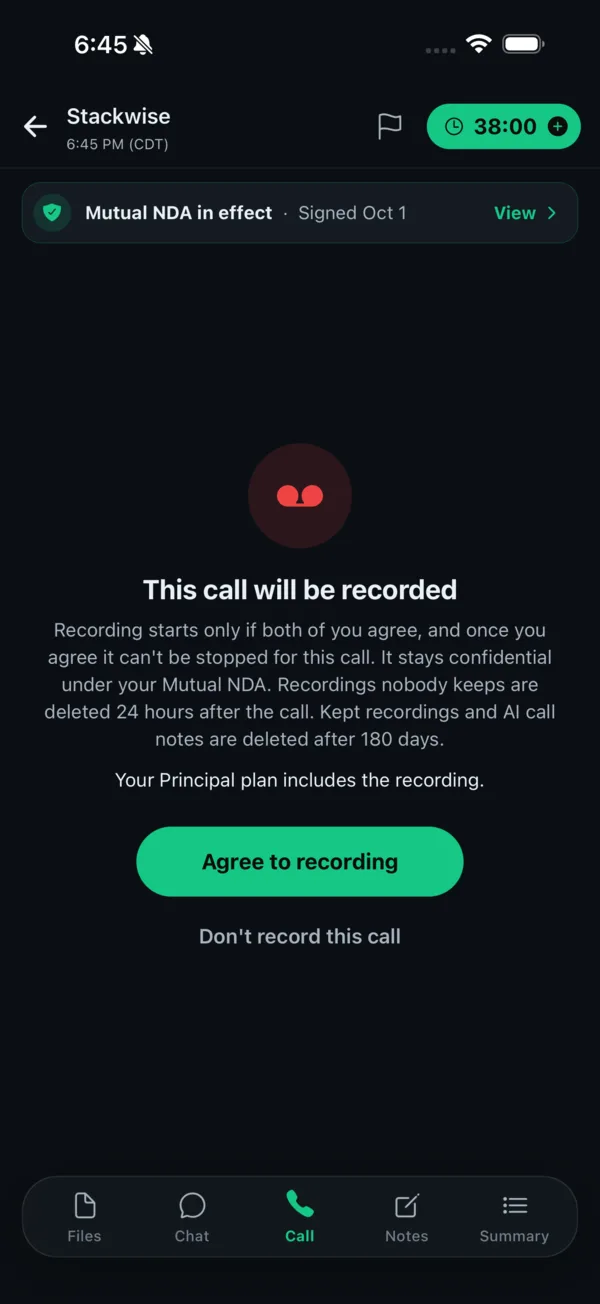
Recording happens only if both members consent, and the question is asked on every call, not once.
A confirmed time moves only when one side suggests a new time and the other accepts it.
Verification, and what it means.
A Verified badge appears on a profile only when both an identity check and an entity check have passed. That is the whole scope of it.
It is not an endorsement. Safqos does not validate the figures, documents or claims a member makes, does not review a business, and does not vouch for anyone. The badge says a person and a legal entity exist and match what was declared. It says nothing about the deal.
Separately, a founder or owner can run an AI check that cross-references their declared financials against their own uploaded documents. That's a consistency check, not a validation: it confirms whether the two agree, not whether either one is true. The result feeds their Risk signal. It isn't Safqos vouching for the business, and it isn't investment advice.
Membership is by application and admission is at our discretion. That is a gate on who can be in the room, not a judgement on the quality of what they bring into it.
What Safqos is not.
Safqos is a technology platform. It introduces parties and gives them a private place to talk. The deal is yours.
Built to be trusted with the details.
Questions about any of this go to [email protected].
The beta is for the Safqos iPhone app. Apply here; accepted members get TestFlight access, plus the web app in the meantime.